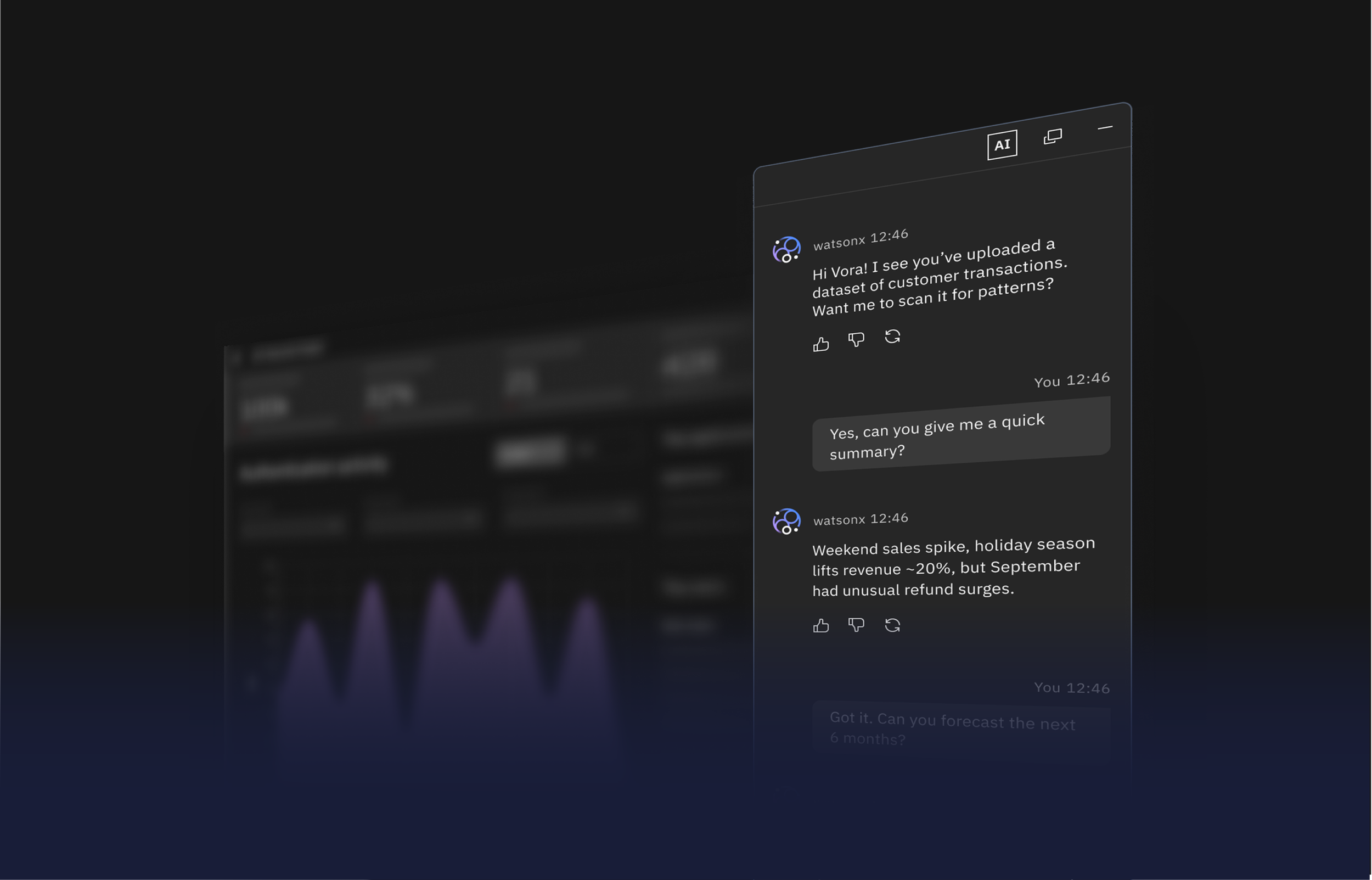
AI chat is a conversational framework between a user and an AI that can aid in creating tasks, finding insights, tracking documents, and more.
AI Chat
IBM
My role
Product designer
Visual Design Lead
User Experience Designer
Timeline
5 months
October 2023 — February 2024
Team
4 Designers
Skills
Research & Strategy
User Experience Design
Product Design & Delivery
Overview
What if one seamless conversation with AI could span every product, every platform?
Every AI conversation across IBM runs on this framework. Before AI Chat existed, every product team was designing their own chat experience separately. Different patterns, different interactions, different logic, and users felt it. The inconsistency fractured trust and wasted enormous effort across the organization. I led AI Chat from concept to delivery, owning the visual design language and the foundational UX that the team then built upon. When it shipped as part of Carbon for AI, it became the standard. Every team that had been building their own chat was moved to mine.
The Challenge
How do we turn fragmented AI chat tools into one trusted, scalable framework?
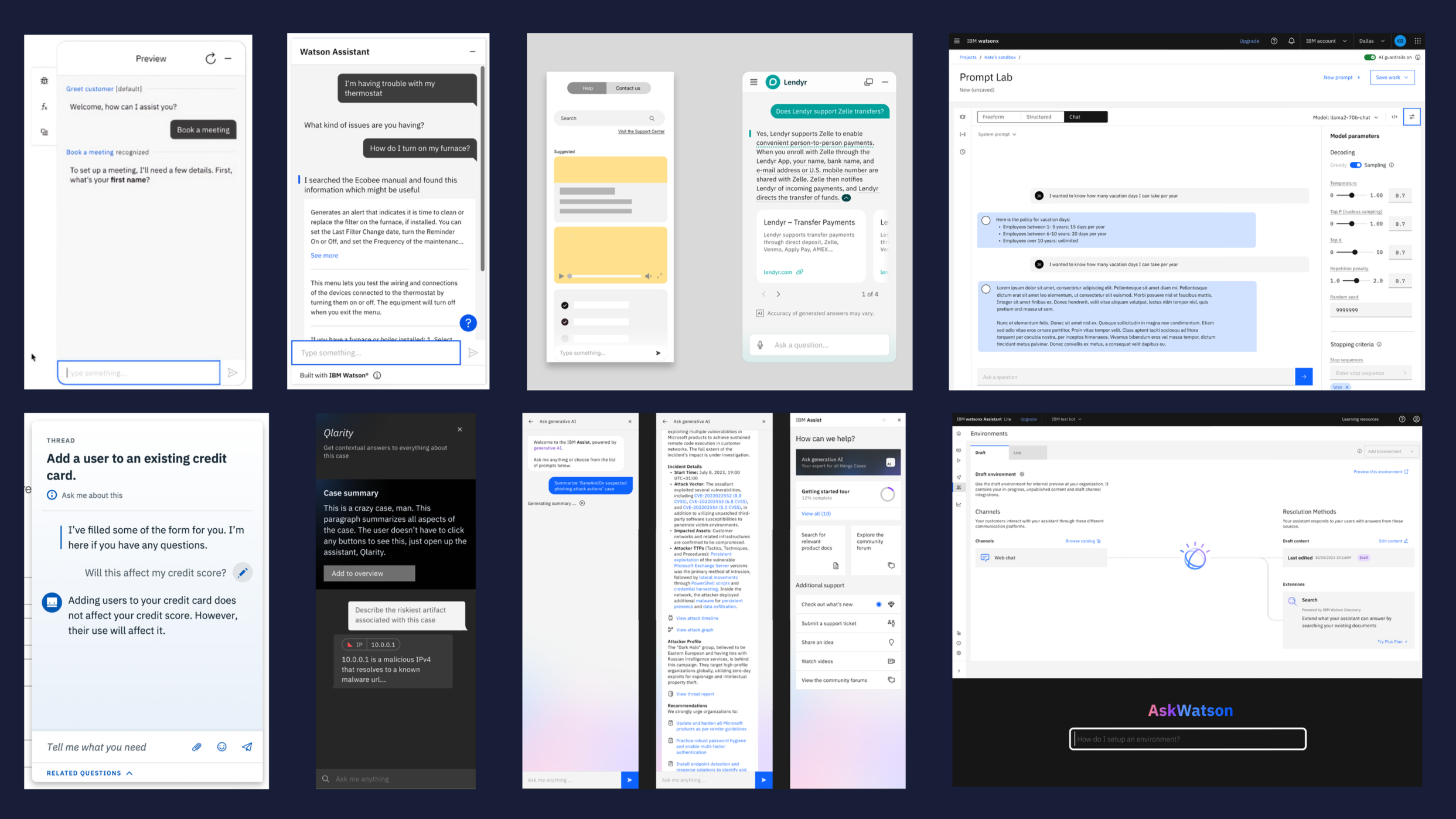
Teams were designing in siloes, often re-creating similar components in parallel and not knowing where to start. This duplication wasted effort internally and fractured the experience externally, leaving users with tools that felt inconsistent and hard to trust. The challenge was to unify these scattered approaches into a framework that could scale across the ecosystem.
Laying the groundwork
The work begins with audits of existing conversational tools, user research, and alignment with design and research partners. These efforts highlight fragmented patterns, duplicated work across teams, and low trust in AI outputs. To address this, guiding principles of consistency, transparency, and modularity are defined within Carbon for AI and carried forward into AI Chat.
Message anatomy
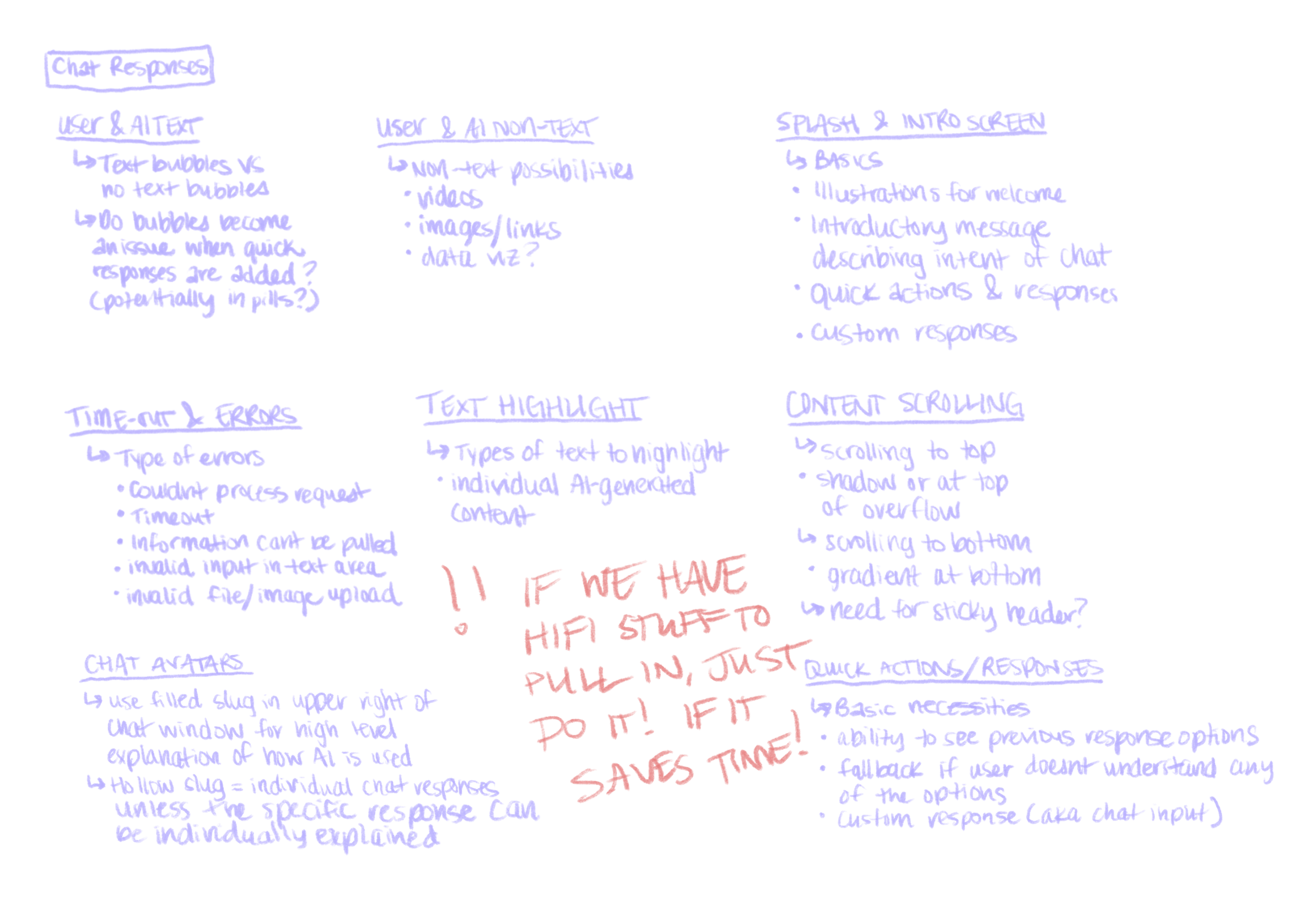
The anatomy of conversation is defined — from text bubbles and avatars to non-text responses such as images, links, and data visualizations. Quick actions are established as modular building blocks to keep interactions fluid.
Workflows
AI Chat expands beyond single turns into multi-step workflows — task planning, notifications, and persistent chat history. The design shifts chat from a basic exchange into a workspace for ongoing work.
Chat environment
Exploration shaped how chat lives on screen: window sizing, docking, minimizing, entry points, and stacking flows. Welcome states, scrolling behaviors, and error handling ensure flexibility without losing consistency.
Feedback & control
Mechanisms such as regenerating answers, user feedback loops, versioning, and memory strengthen user agency and reinforce confidence in the system.
System states
Patterns are created for how AI “thinks” and responds, including processing animations, text highlighting, and sourcing indicators. These states transform uncertainty into clarity and build trust in outputs.
Modularity & extension
Advanced patterns — including recommendations, reasoning traces, and the AI Chat builder — establish a modular framework that adapts across products while staying consistent within Carbon for AI.
The Opportunity
What if this was our chance to define the voice of AI?
The opportunity wasn’t to replace existing tools, but to complement them with a new layer: a clear conversational identity embedded within the design system. By defining patterns, behaviors, and a recognizable design language, we could align teams, reduce duplication, and give users experiences that felt coherent, transparent, and trustworthy across contexts.
The Solution
Not a single chatbot — a modular design system for all AI conversations.
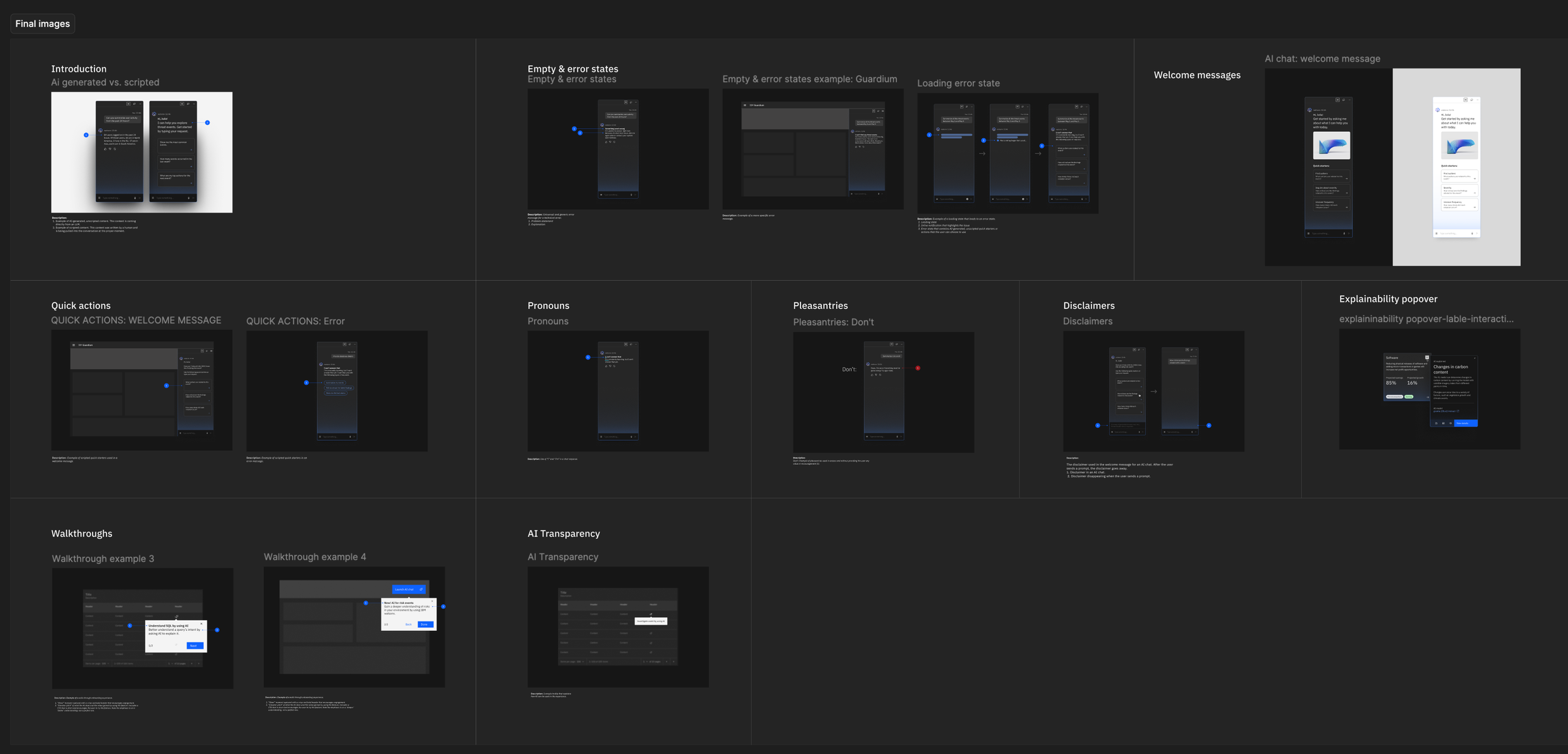
We created AI Chat as a universal conversational system — a modular, scalable framework built into the design system for AI. It defined not just the look and feel of chat, but also the UX, motion, interaction, and conversational patterns. This gave teams a shared foundation for designing AI across products, while giving users clarity and trust in every interaction. Rather than replacing past product work, it established a systemic layer that connected and strengthened them, ensuring AI conversations could feel seamless at scale.
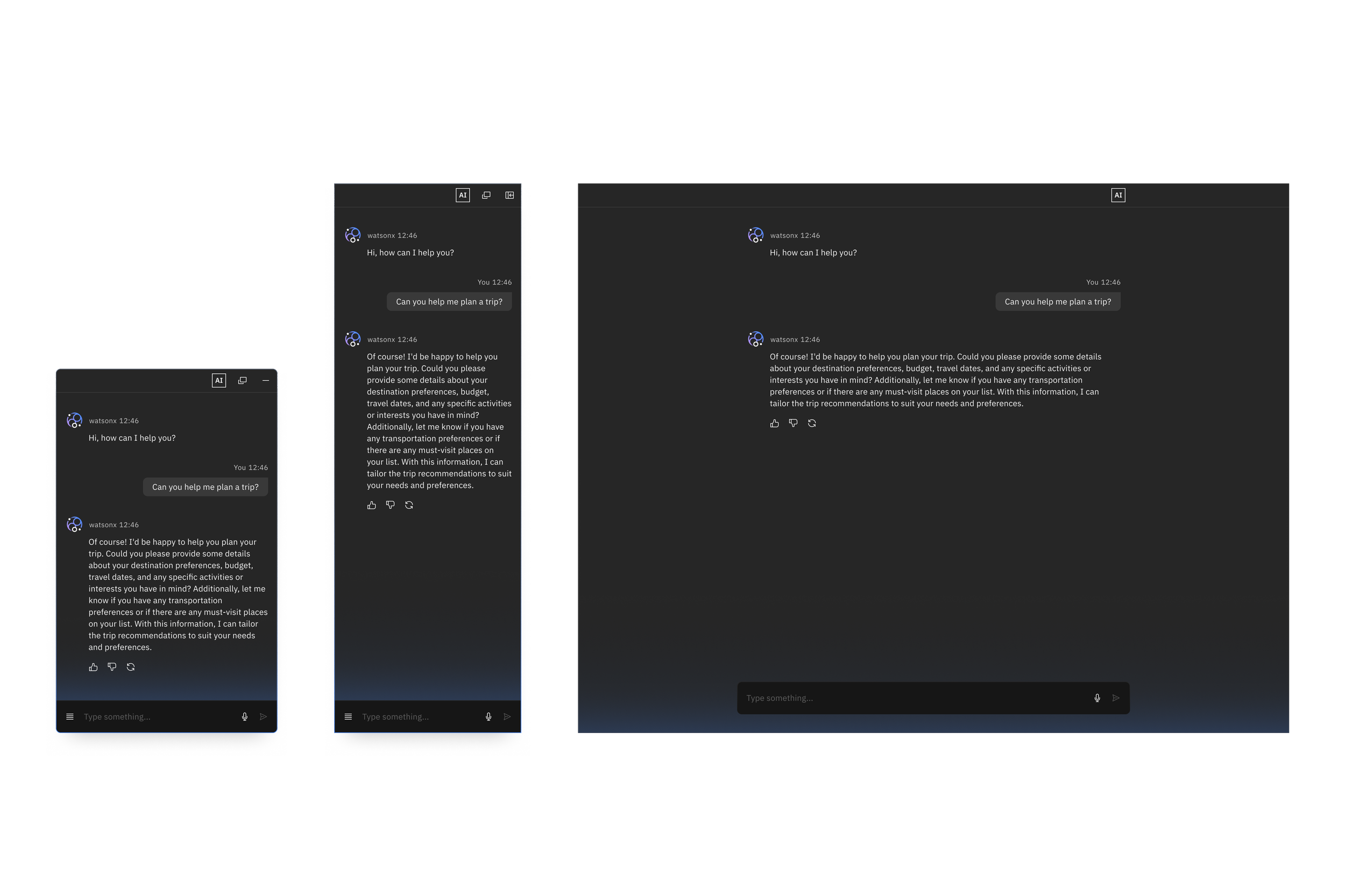
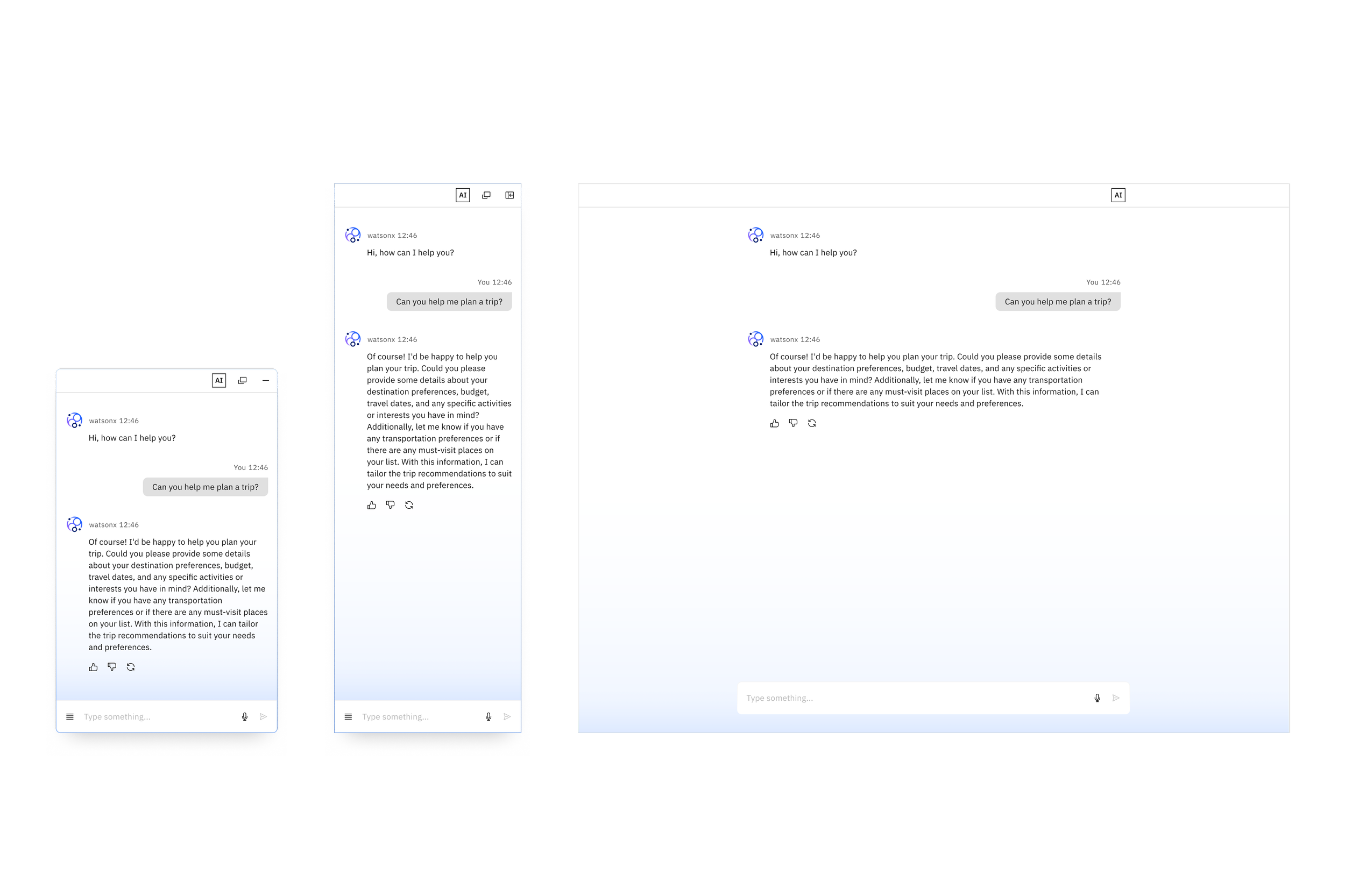
Docking styles
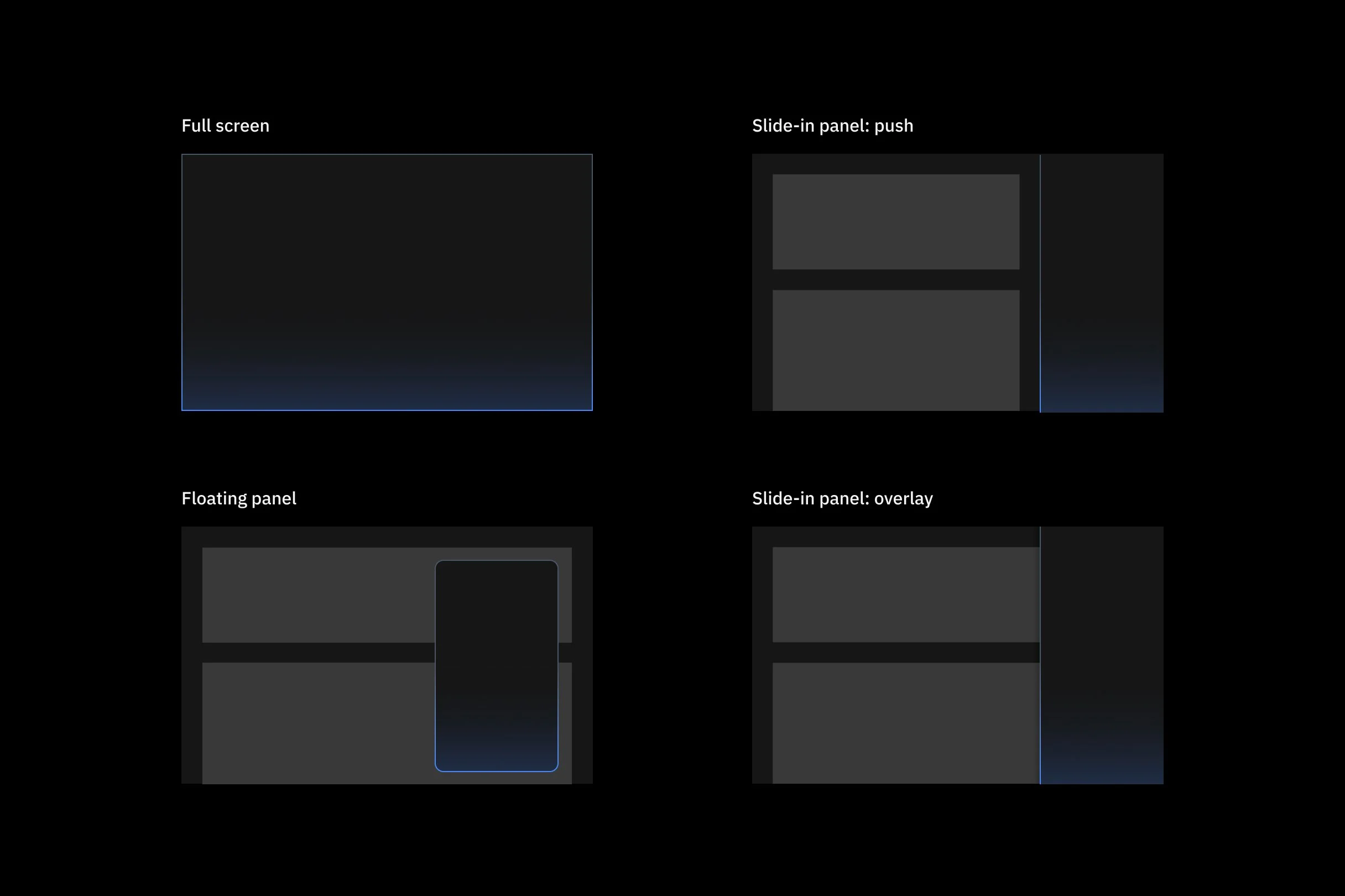
Full screen
The full-screen AI chat experience assumes that the chat is the main focus. In a full-screen AI chat, it remains on the screen and doesn’t minimize or pop out unless a specific circumstance allows it.
Slide-in panel
A slide-in panel comes in from the side and either pushes or overlays the page. If the panel pushes, it can either push from the page level or from the site level.
Floating chat window
The floating chat experience allows for the ability to move the chat anywhere within the screen and always overlays the page. It can also be minimized when necessary.
Messaging anatomy
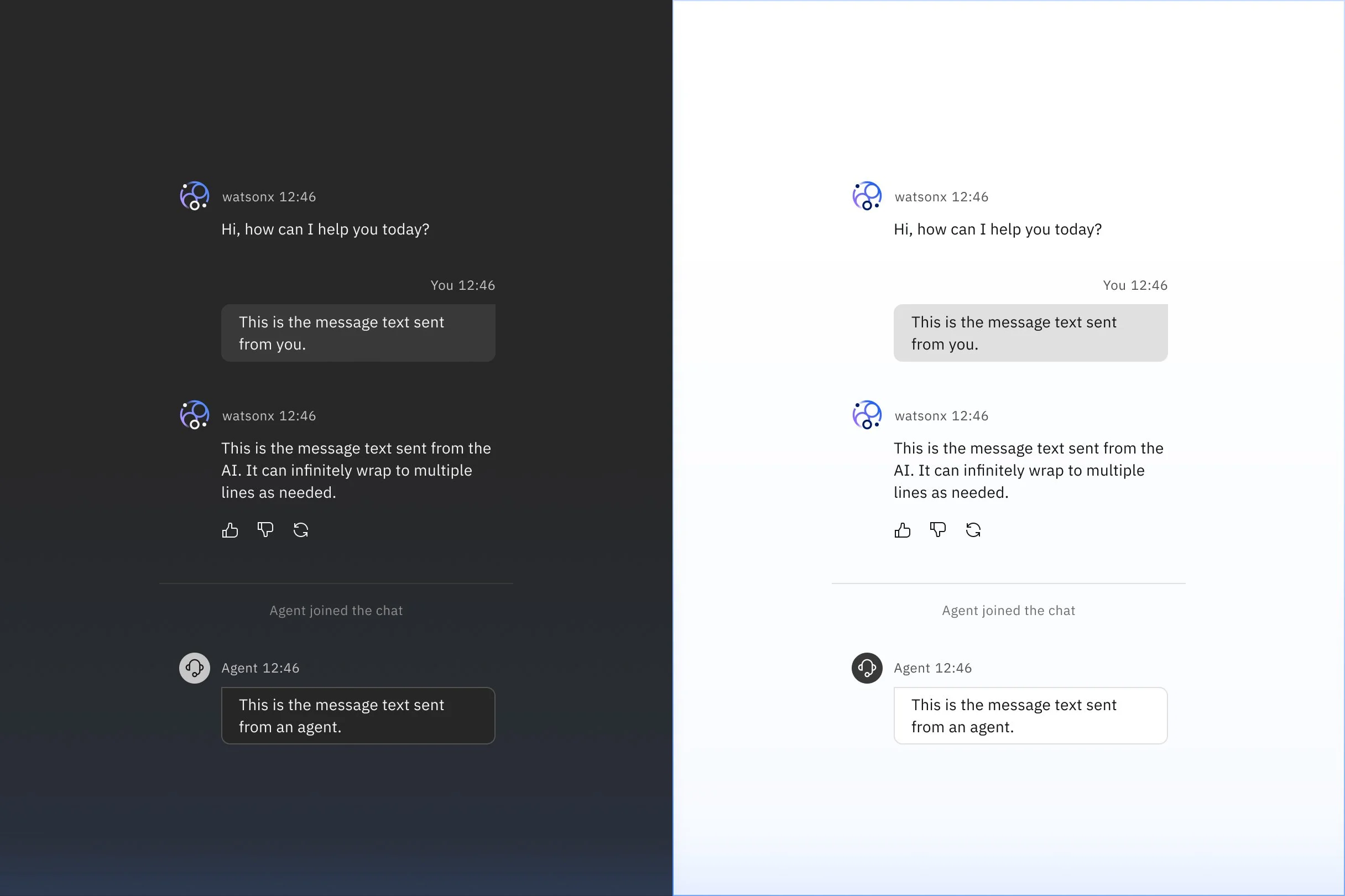
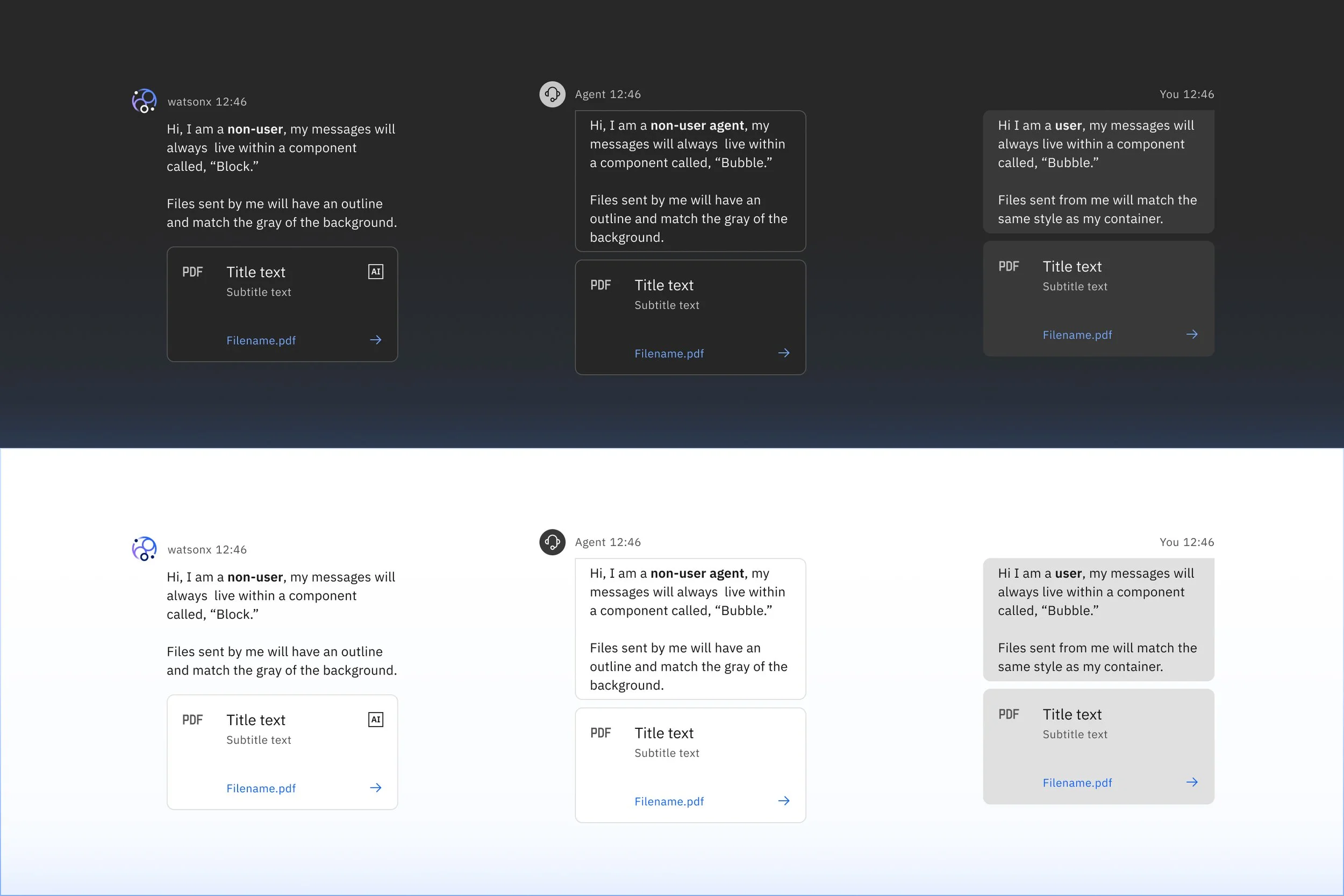
Messages can come from the user or a non-user. To differentiate the two message types, AI chat includes two message styles. You might have more than one non-user within a single chat or different non-users within various conversations.
User vs. non-user messages
It is important to differentiate between messages sent by a user and messages sent by a non-user, such as a human agent or watsonx. Differentiating the messages enables users to easily identify the source of content, such as an uploaded file, and find their own messages. AI chat includes distinct visual styling for user messages and non-user messages.
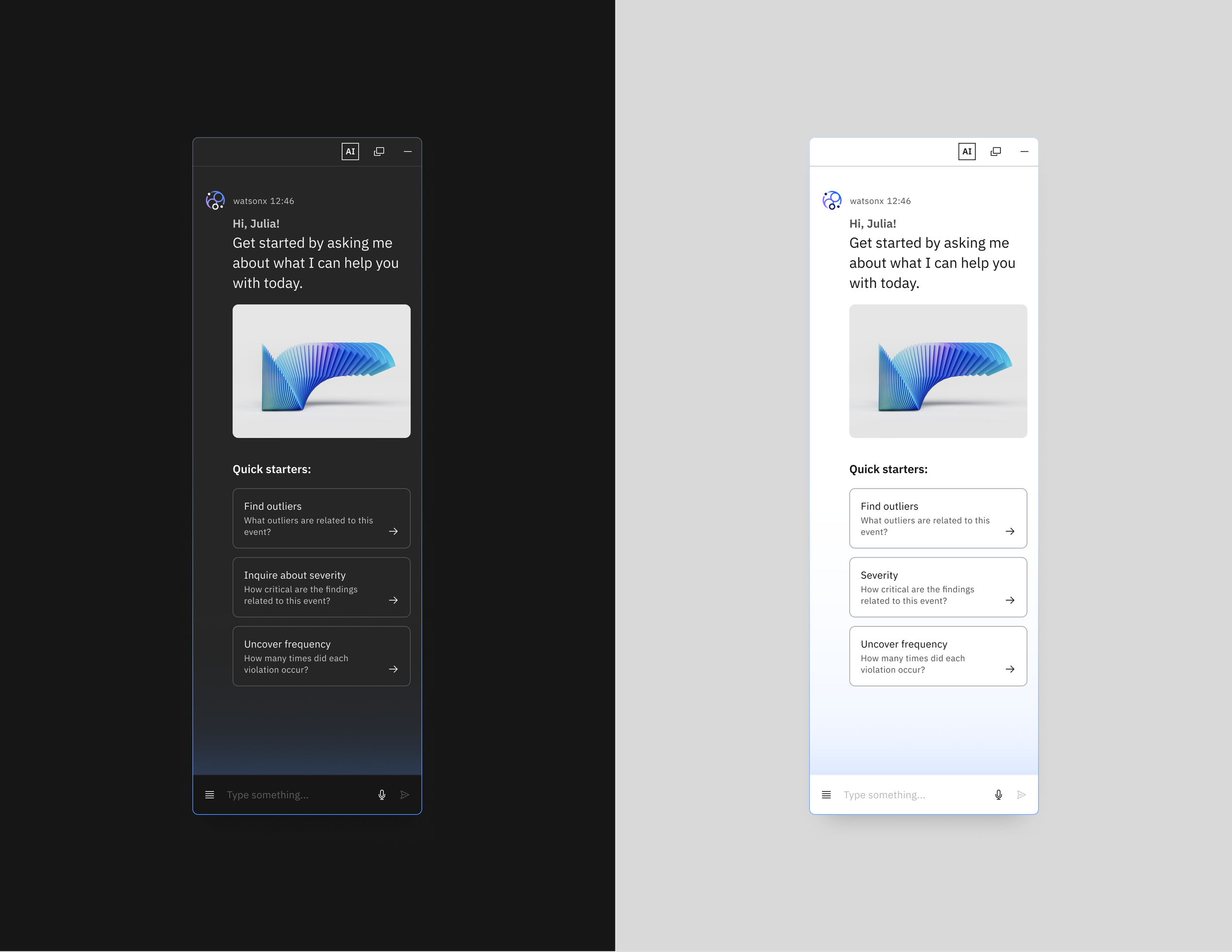
Welcome messages
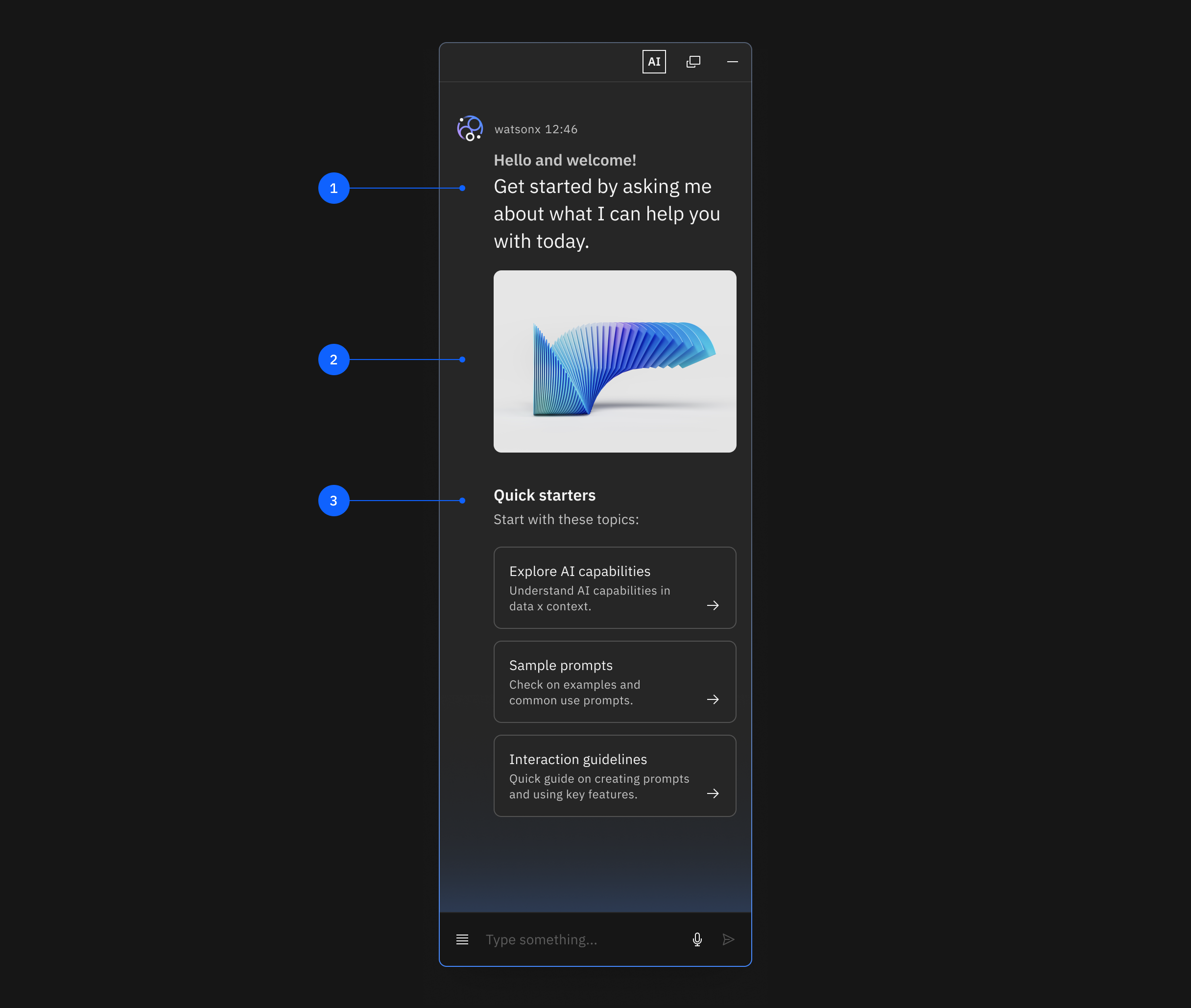
When users first enter a chat experience, ensure they have a clear starting point. A Welcome message helps ground users in the abilities and limitations of any given chat experience and helps them get started with prompt suggestions or conversation starters.
01
Welcome and short introduction
Open with an introduction to greet the user with their name or encourage exploration. Set the expectations for your experience.
02
Branding image
Optionally include an image to show a brand or tone.
03
Call-to-action
Follow the welcome with quick starters or actions, open invitation to type a request, or both.
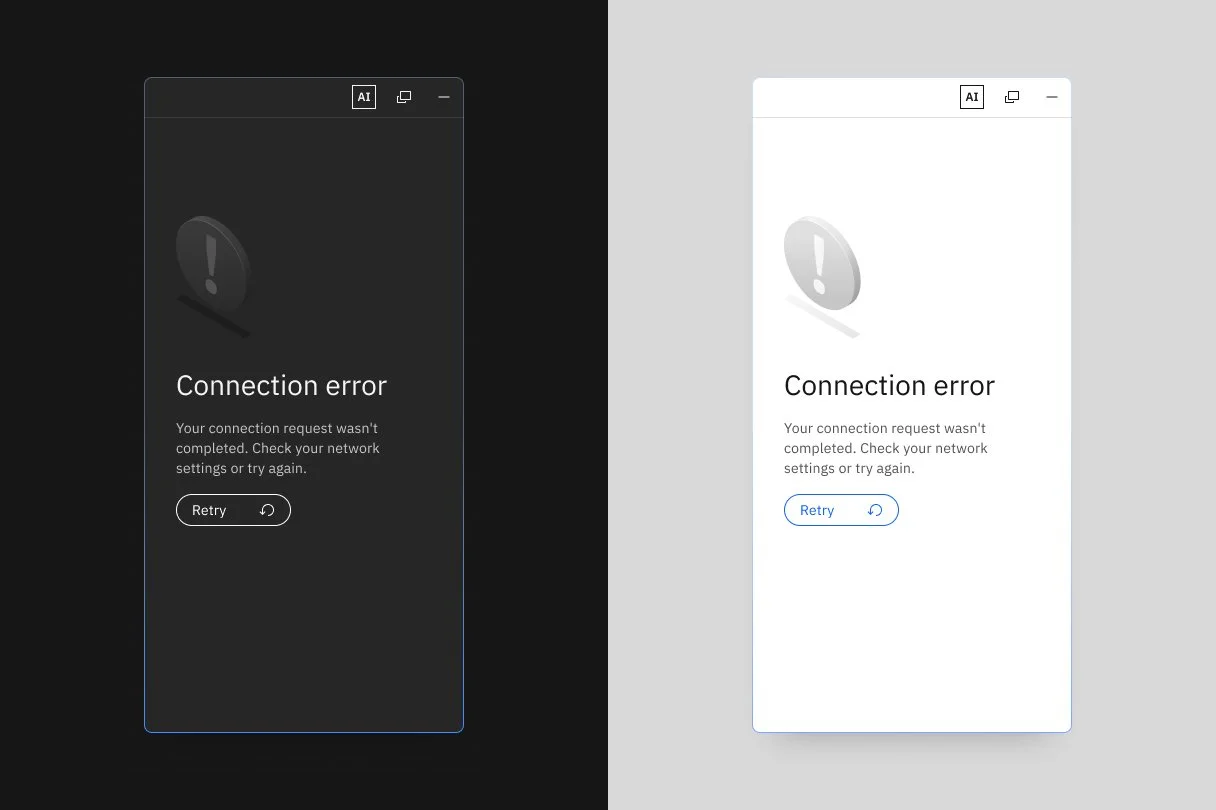
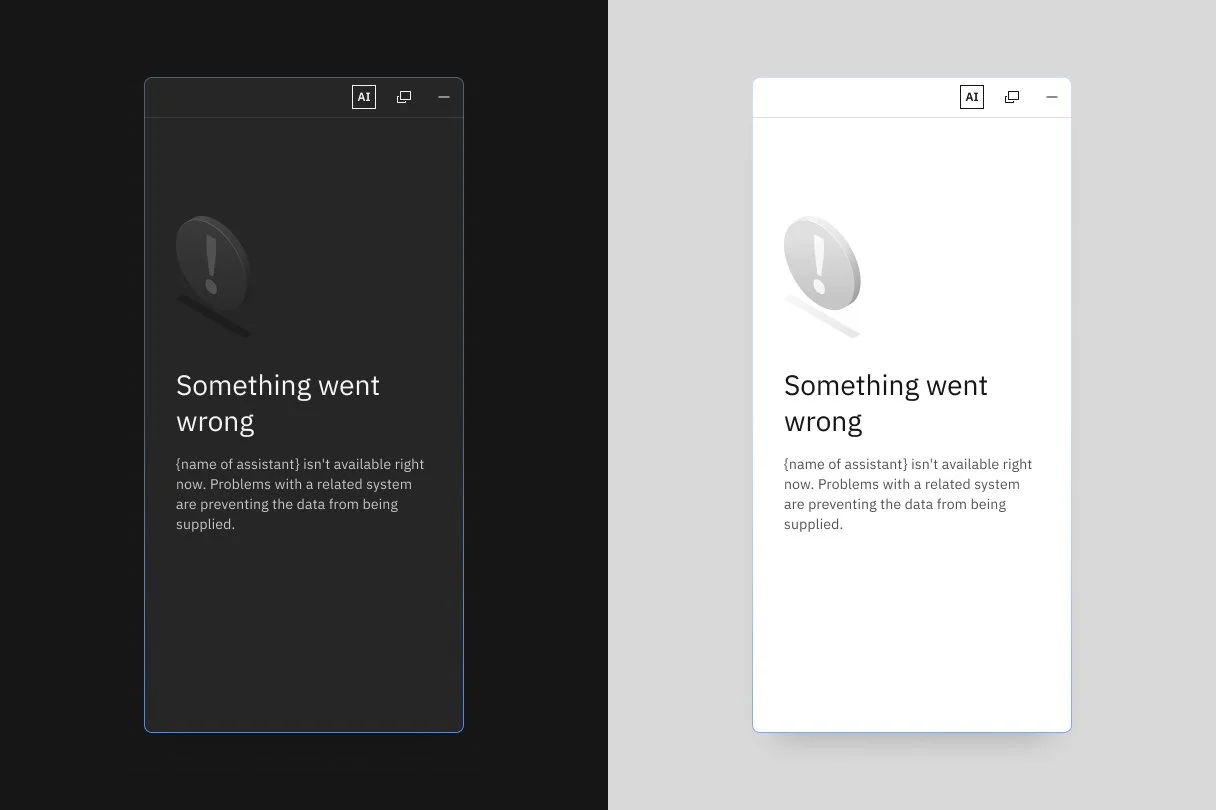
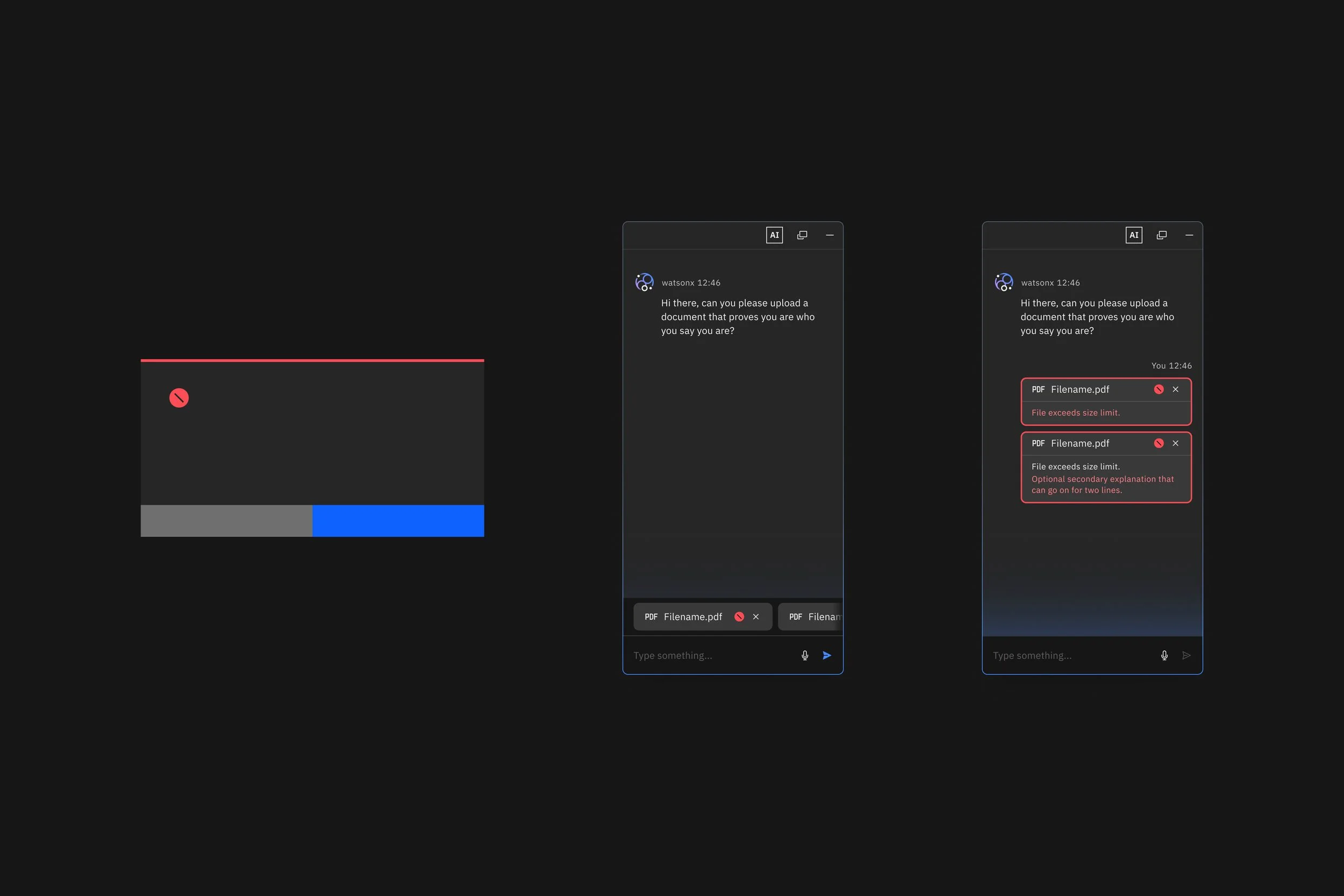
Error states
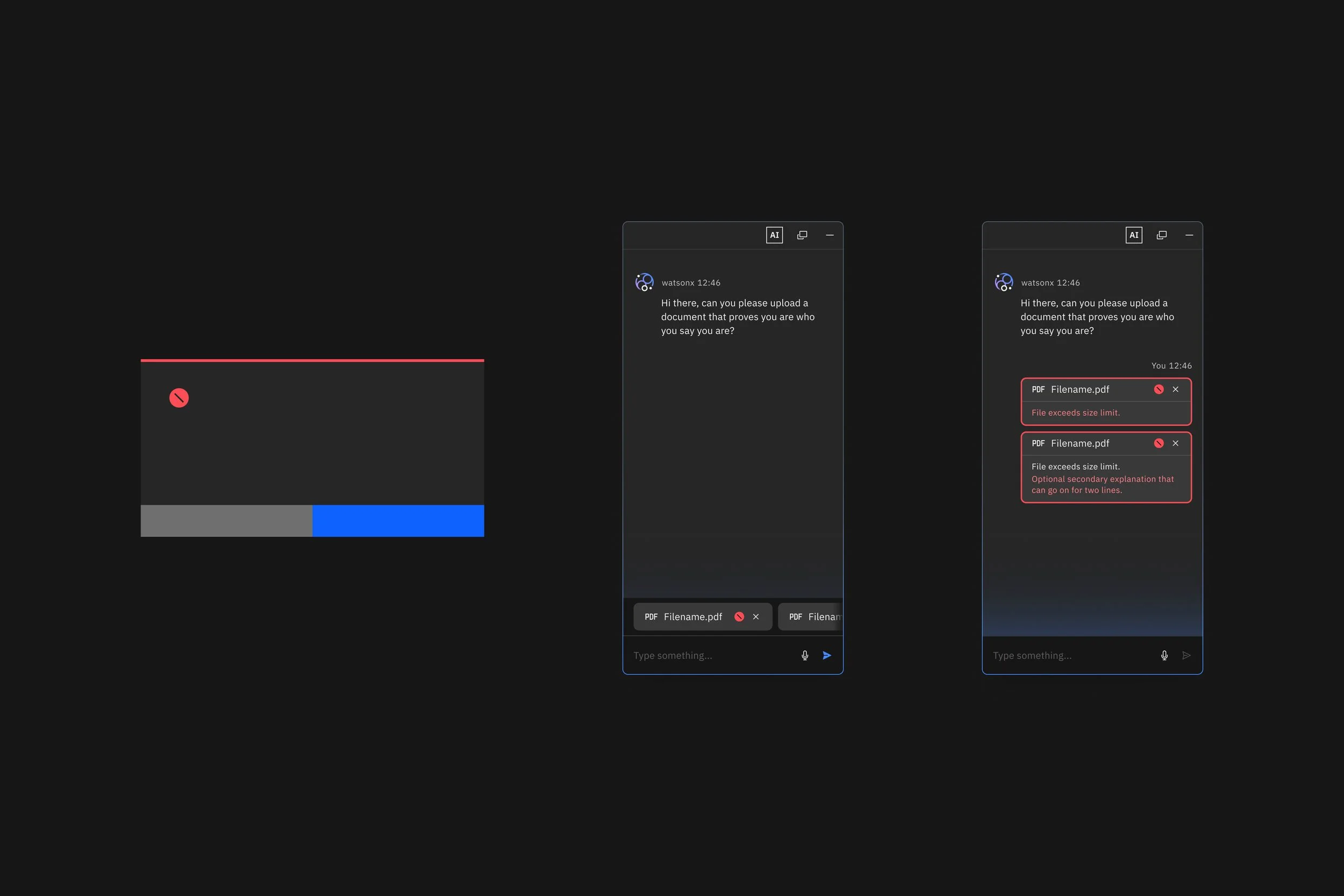
Error states are used when an error has occurred and the user needs to be alerted. This can happen in many different instances and many different ways.
File uploader
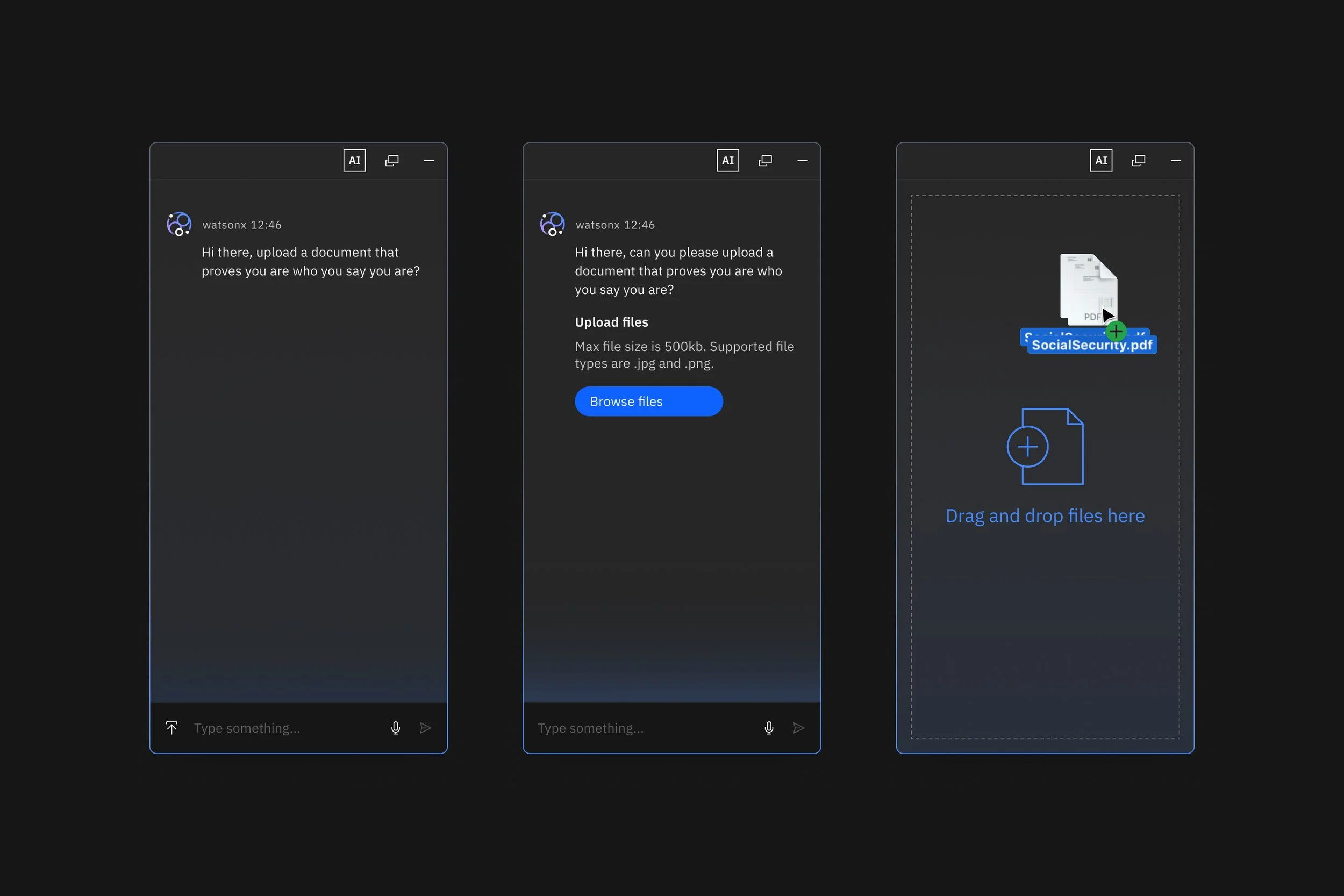
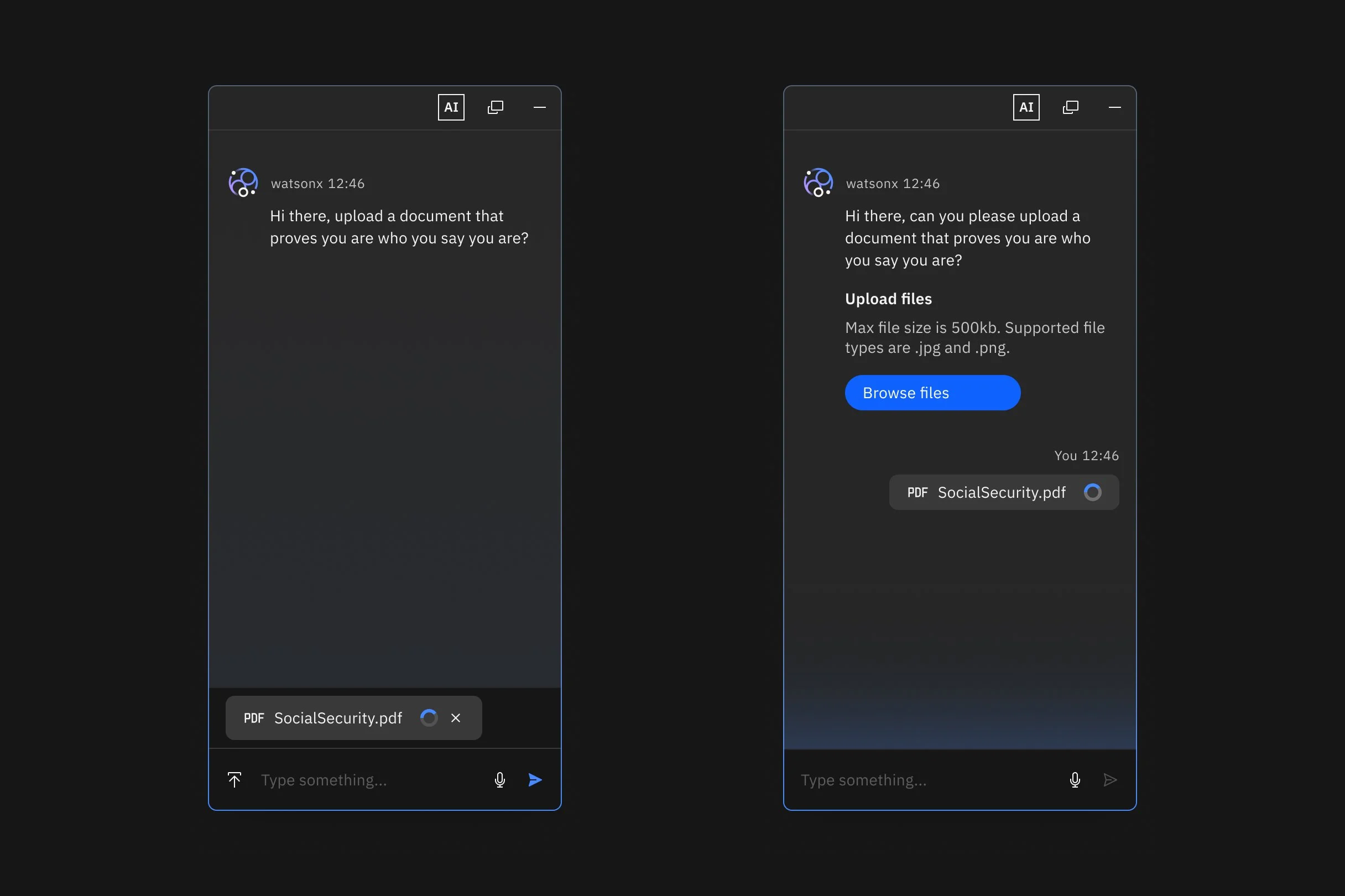
File uploading might be an important feature for a chat. There are multiple ways to enable file uploading within AI chat: within the prompt line, within the message, or by dragging and dropping a file onto the body.
Sourcing
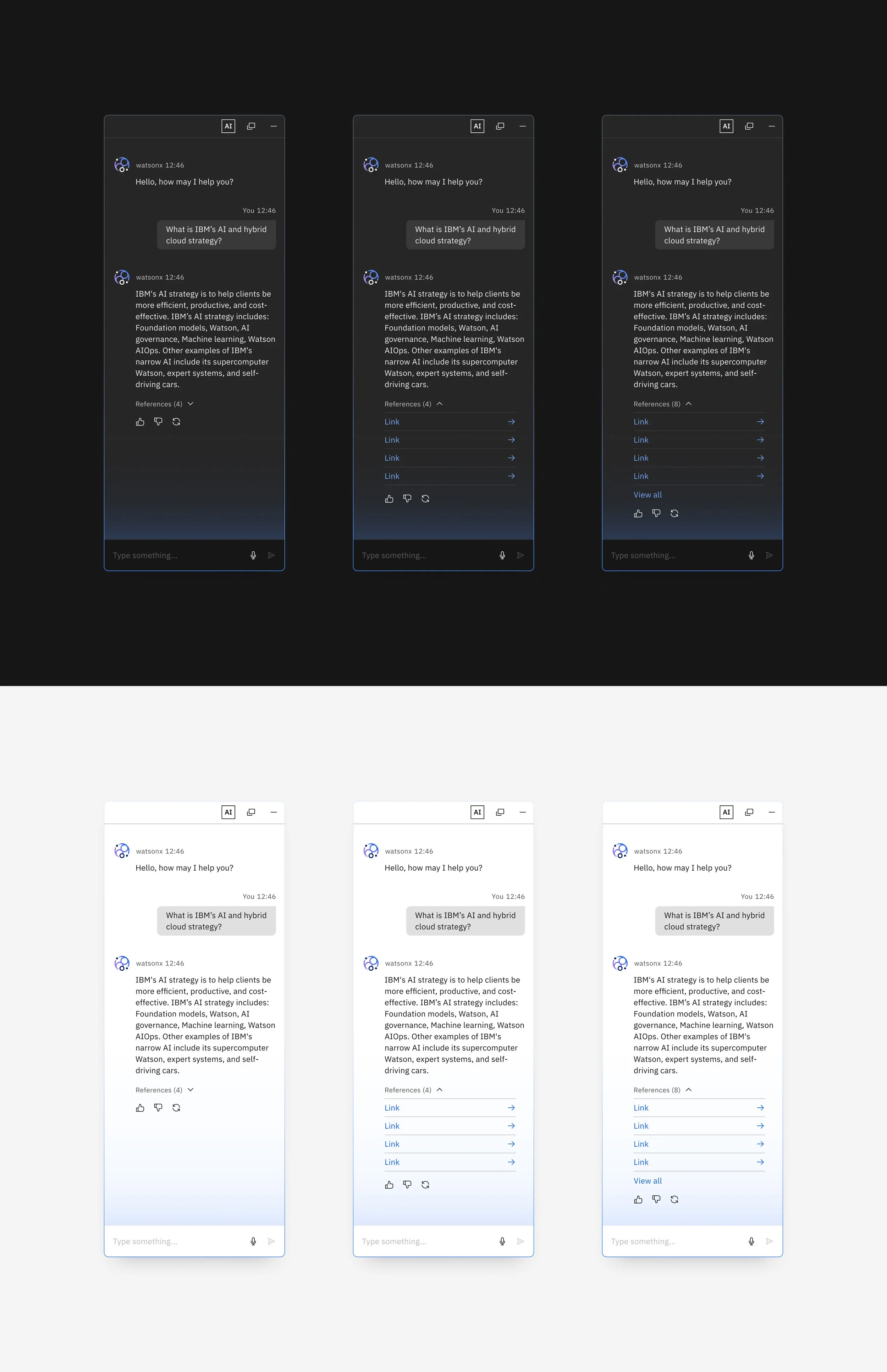
Sourcing is used when a source link is available for the AI response. This action gives users inline access to referenced material. There are three sourcing levels:
General sourcing
AI chat may rephrase answers, which can make it difficult to pinpoint the original sections. In these cases, it is recommended to use general sourcing and provide a broad reference list.
Summarized sourcing
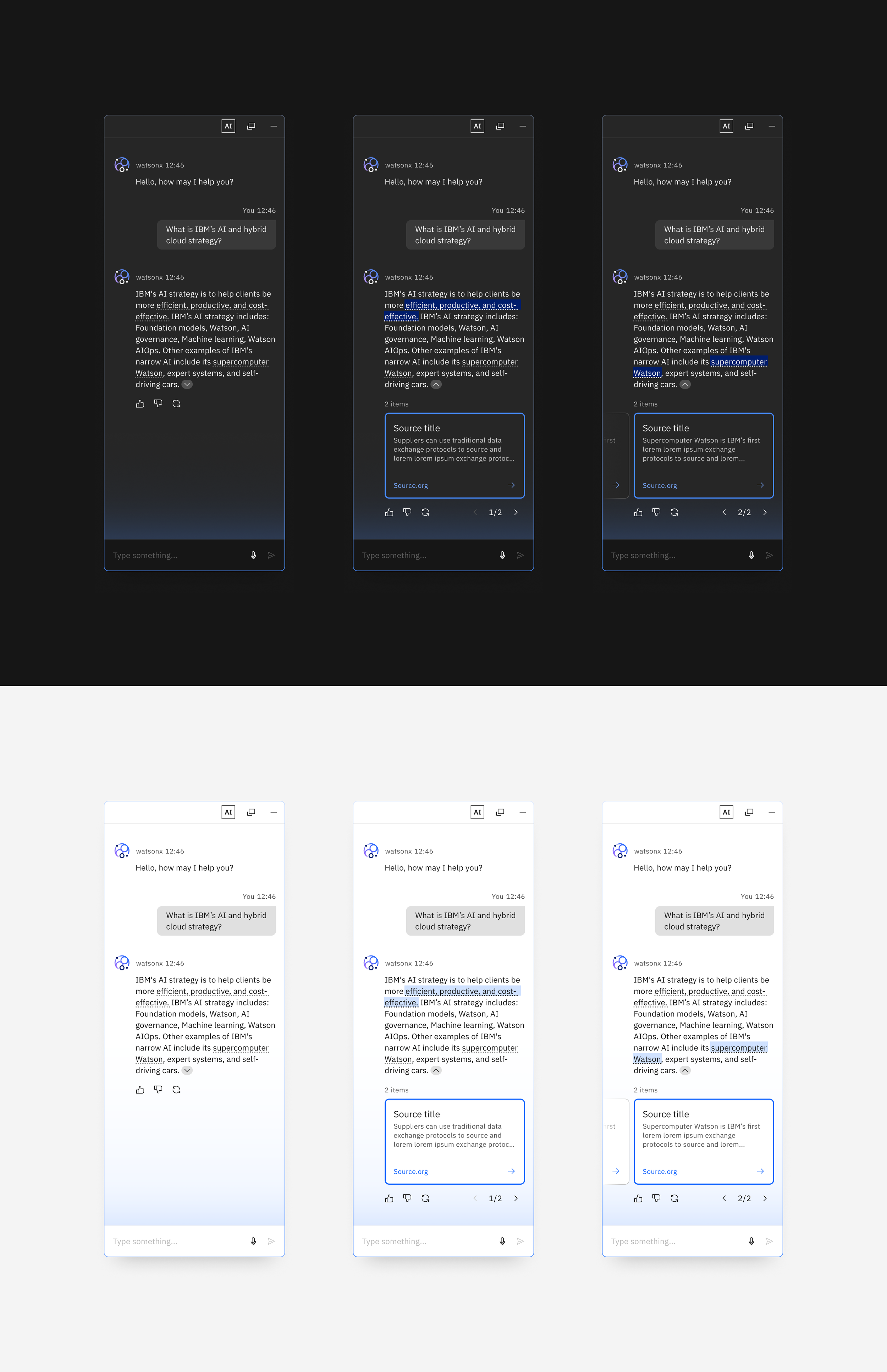
Summarized sourcing happens when a response contains a single paragraph in which the sources can be detected. The sources are specifically called out within the paragraph and summarized at the end of the paragraph. Each source card highlights the specific part that it came from.
Inline sourcing
Inline sourcing is used when a response is placed after the specific line that is being sourced. The source card doesn’t need the highlight and can act as a regular card. Highlight appears when the caret is opened as an active state.
AI processing
It is always necessary to provide system feedback as an AI is generating a response. This ensures that users have a clear understanding of the system’s status.
Democratizing AI, making it accessible for all